Fisher & Paykel ICON Auto
Yes. Copy the SD card, upload the files, and we score every night that is on it.
Compatibility
Does SleepHQ work with the Fisher & Paykel ICON Auto?
SleepHQ works with the Fisher & Paykel ICON Auto and reads every night it records.
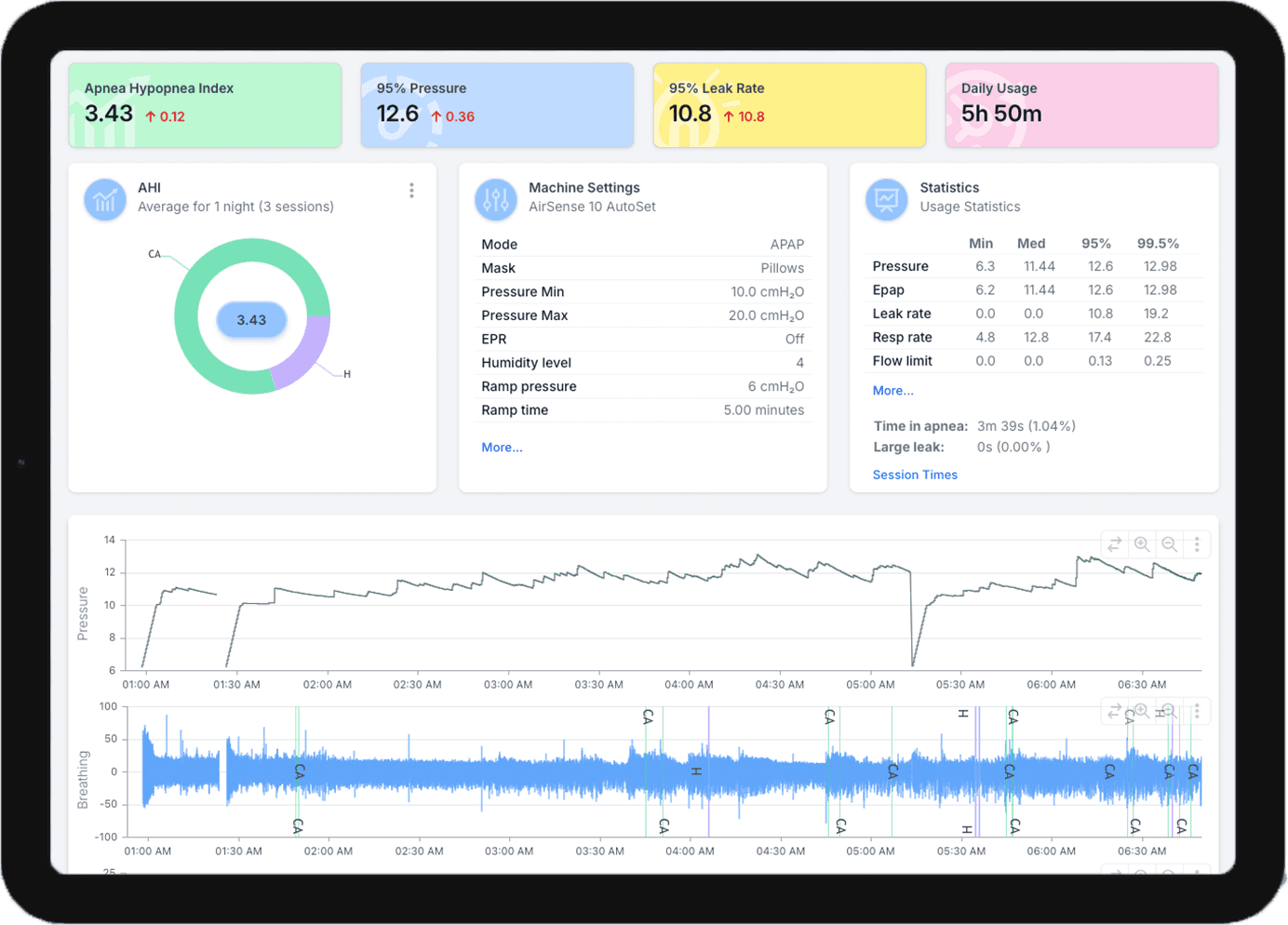
The ICON Auto decides its own pressure inside a range it was given, and SleepHQ charts what it actually chose rather than what it was set to. Its age changes nothing about that: a card that has been filling up for years comes across in one upload, and every night on it is scored the same way a new machine’s is.
Uploads
Getting your data into SleepHQ
Take the SD card out of your machine, put it in a computer or a phone with a card reader, and upload the files to SleepHQ. Everything the card holds comes across in one go, so the first upload usually brings months of nights with it rather than one.
A free SleepHQ account reads the same files a Pro one does, so there is nothing to buy before you find out what is on your card.
Your data
What SleepHQ shows you
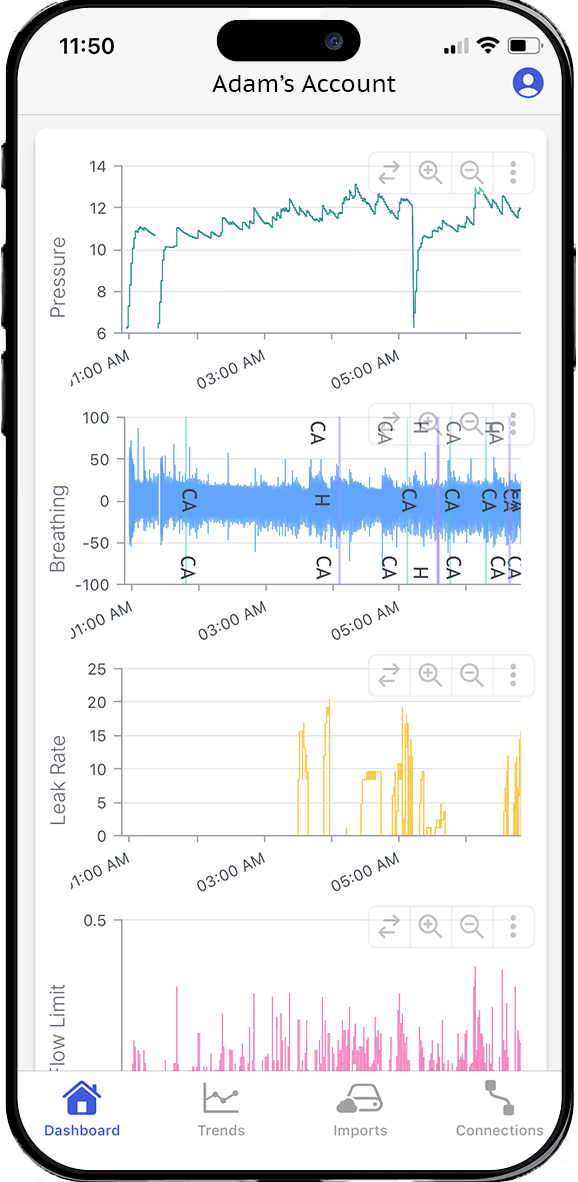
Every night comes in whole: usage hours, AHI, pressure, leak rate, flow limitation and respiratory rate, with the detailed charts underneath them and every night you have ever uploaded kept beside it.
Your machine picks its own pressure through the night, so SleepHQ charts what it actually chose against the minimum and maximum it was given. That is how you tell a range that is working from one your machine is spending every night pinned to the top of.
Every machine SleepHQ reads is listed on the supported devices page, and if yours is not on it, send us your data and we will tell you.
Join for free today
Create a free SleepHQ account and start your journey today
Ready to improve your CPAP therapy results? Create a free account and get started today.