
Your CPAP data in SleepHQ.Automatically. Instantly.
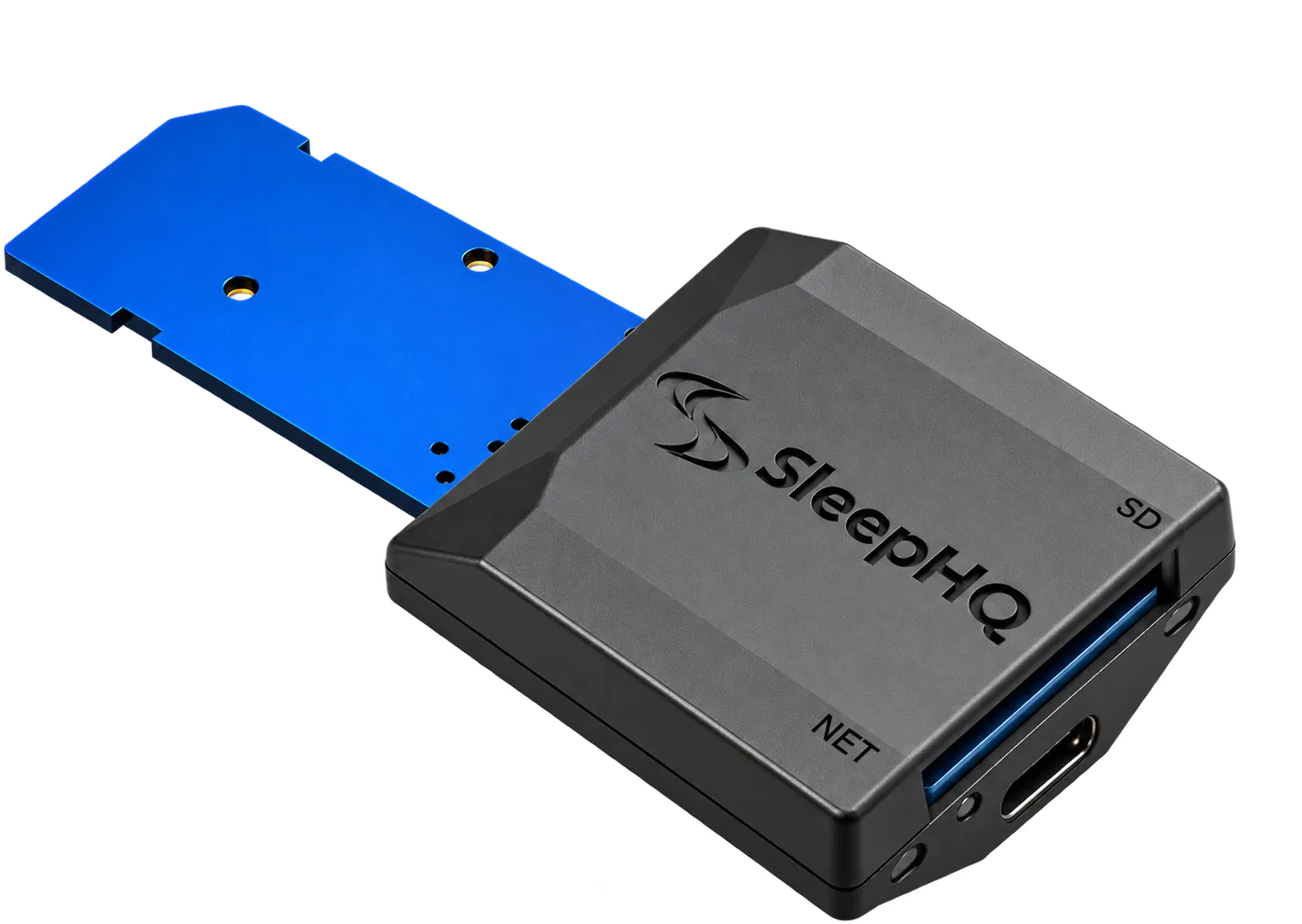
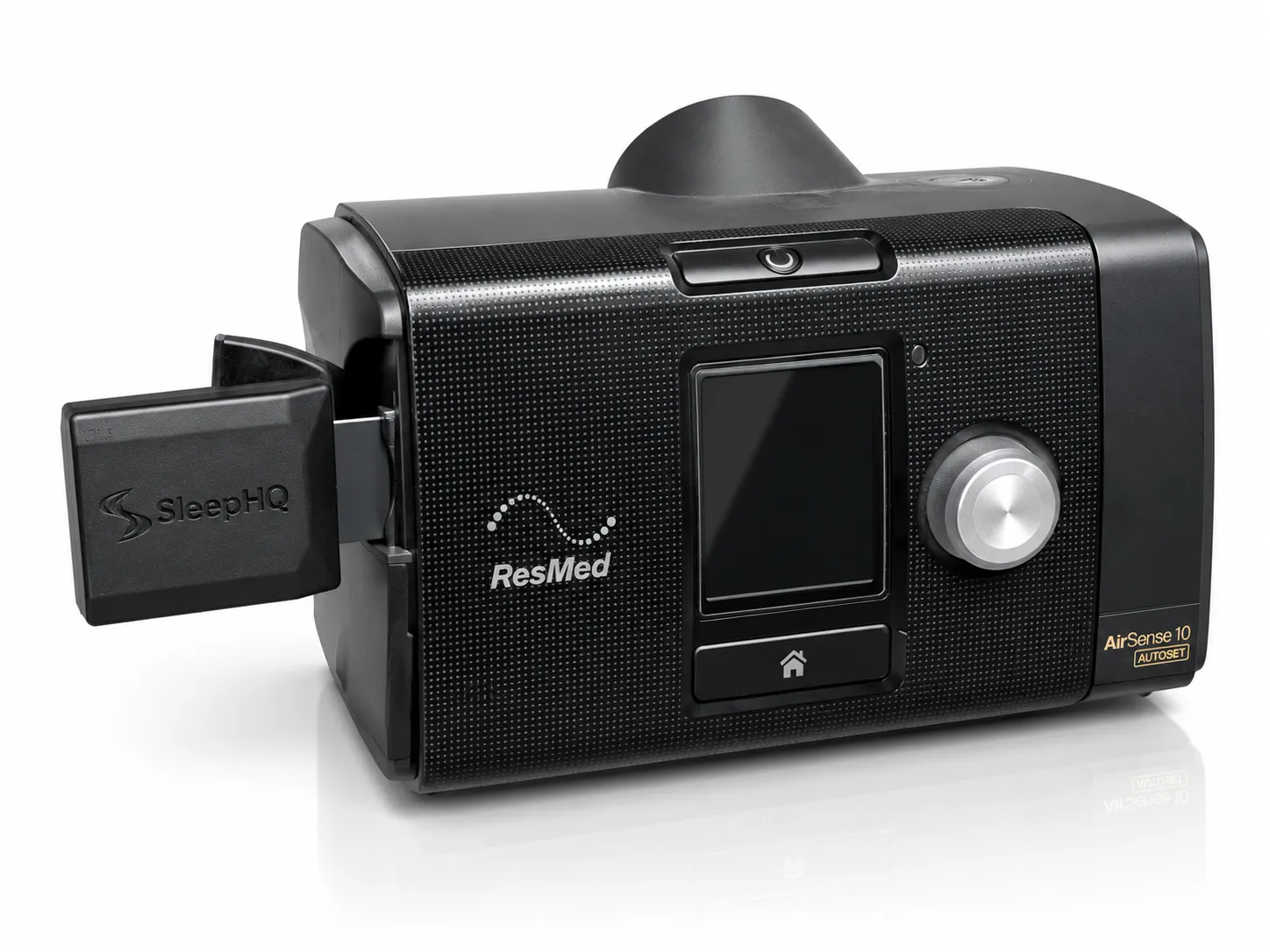
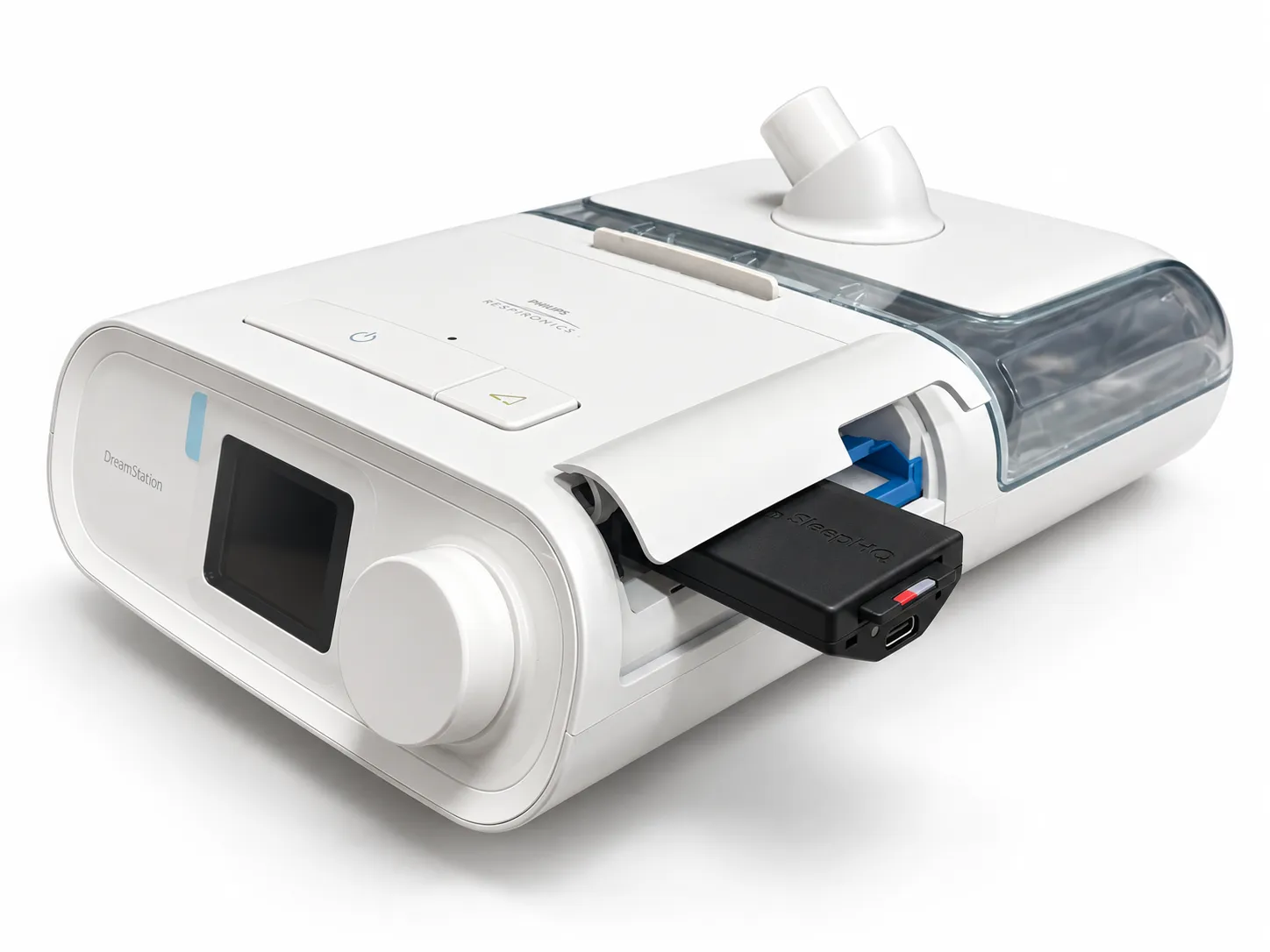
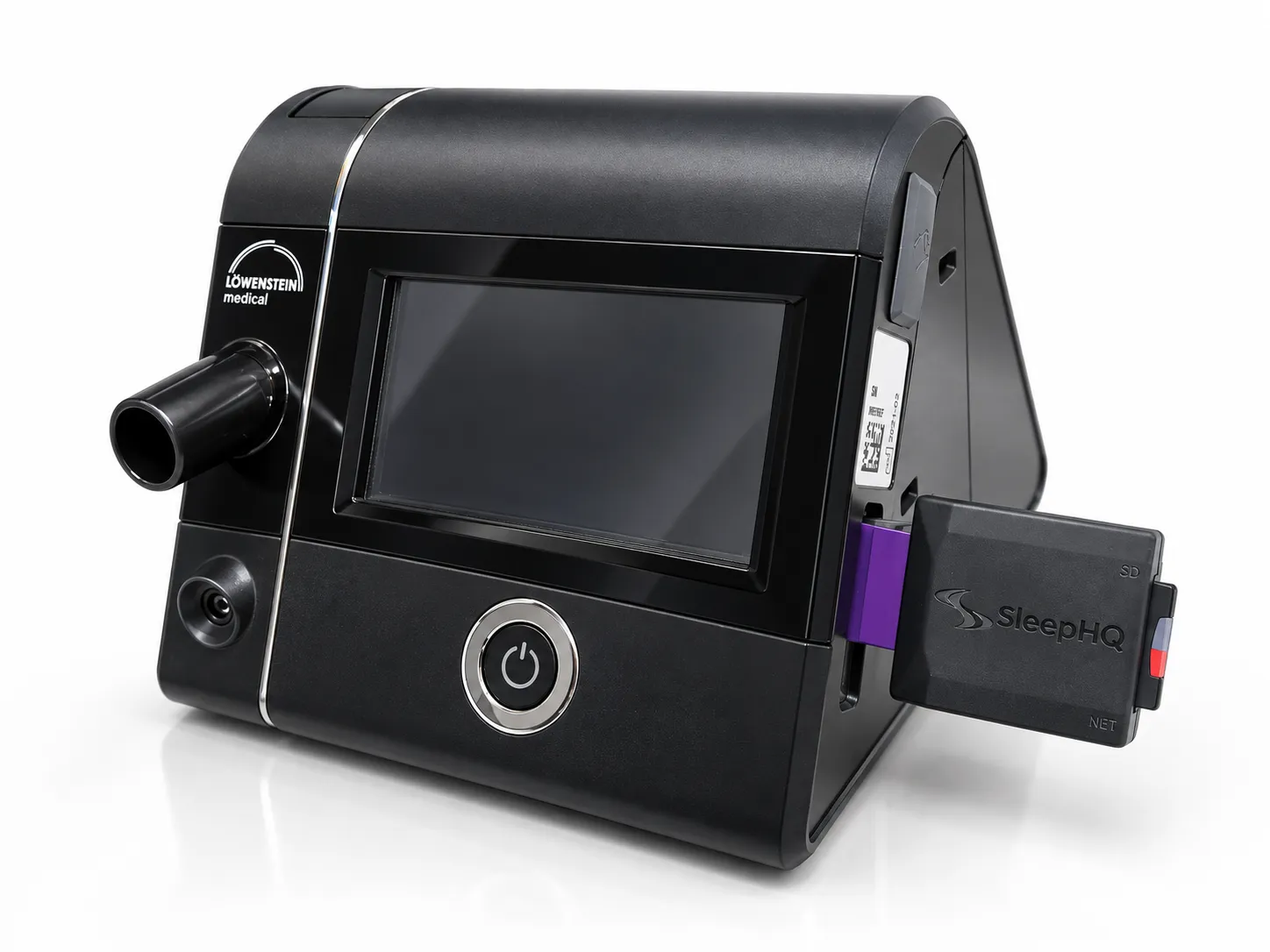
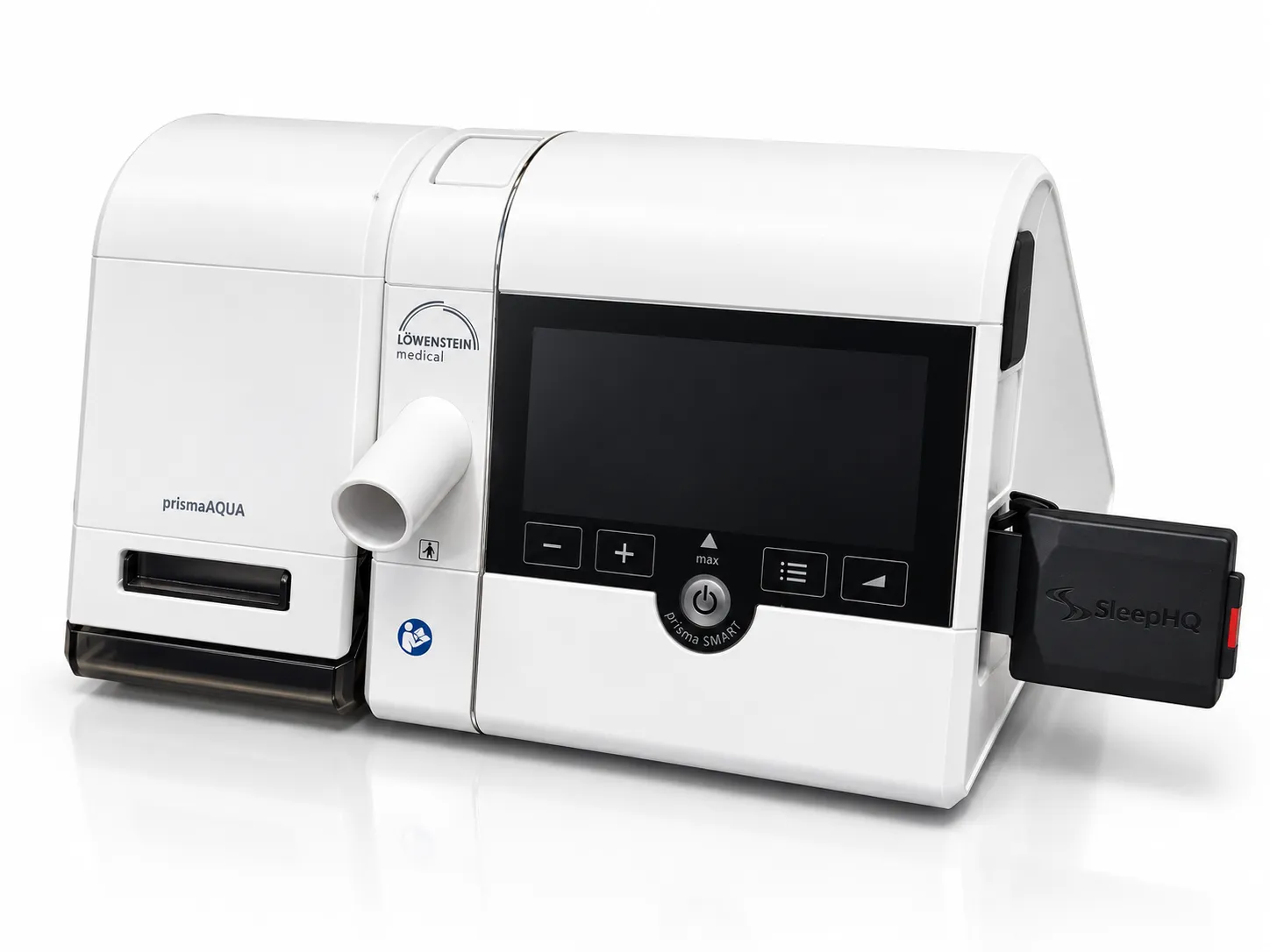
The Magic Uploader Xtreme plugs into the SD card slot of most CPAP machines and sends every night’s data to your SleepHQ account as it’s recorded.
$299 USD$399 AUD
- Compatible with:
- ResMed
- Philips Respironics
- Löwenstein
- BMC
- O2 Ring Pro
Why it matters
The SD card shuffle, retired.
Without it
Every morning, the same chore.
- Pull the SD card out of the machine every morning
- Find the card reader, then the computer, then the upload page
- Forget for a week and miss out on real time insights
- Or wait for the manufacturer’s app to show you one number
With the Xtreme
Set it up once. Done.
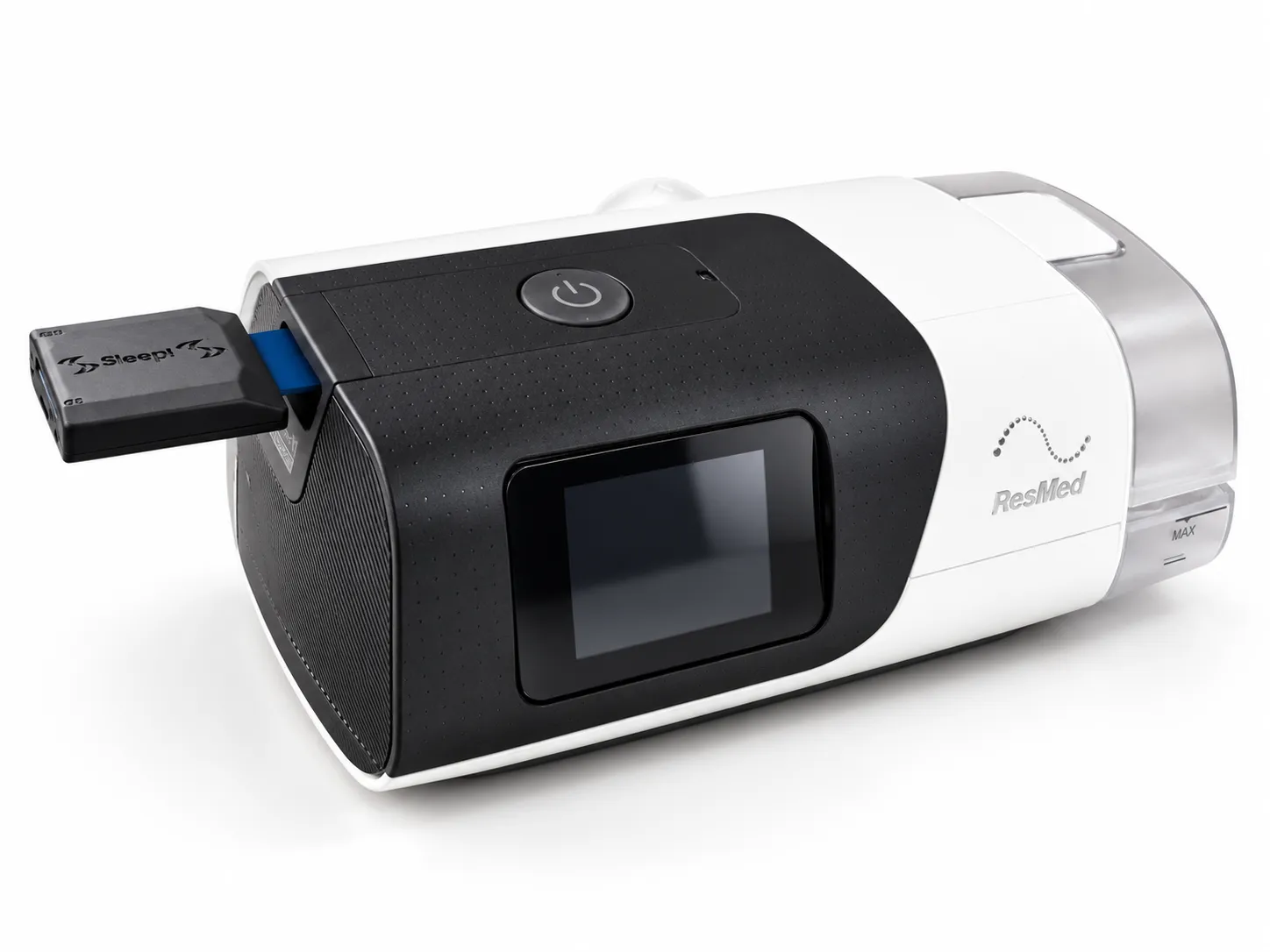
- Plugs into the SD card slot on your machine
- Every night instantly uploads in real time
- Nothing to remember, so nothing gets missed
- Full high resolution data in SleepHQ before you are out of bed
How the magic happens
From your machine to your dashboard, as it happens
Your machine writes
Your CPAP machine writes directly to the SD card. The MUX is totally invisible to it.
The Xtreme sends
The MUX watches the CPAP machine write files in real time and sends them over Wi-Fi as they are written to the SD card.
SleepHQ analyses
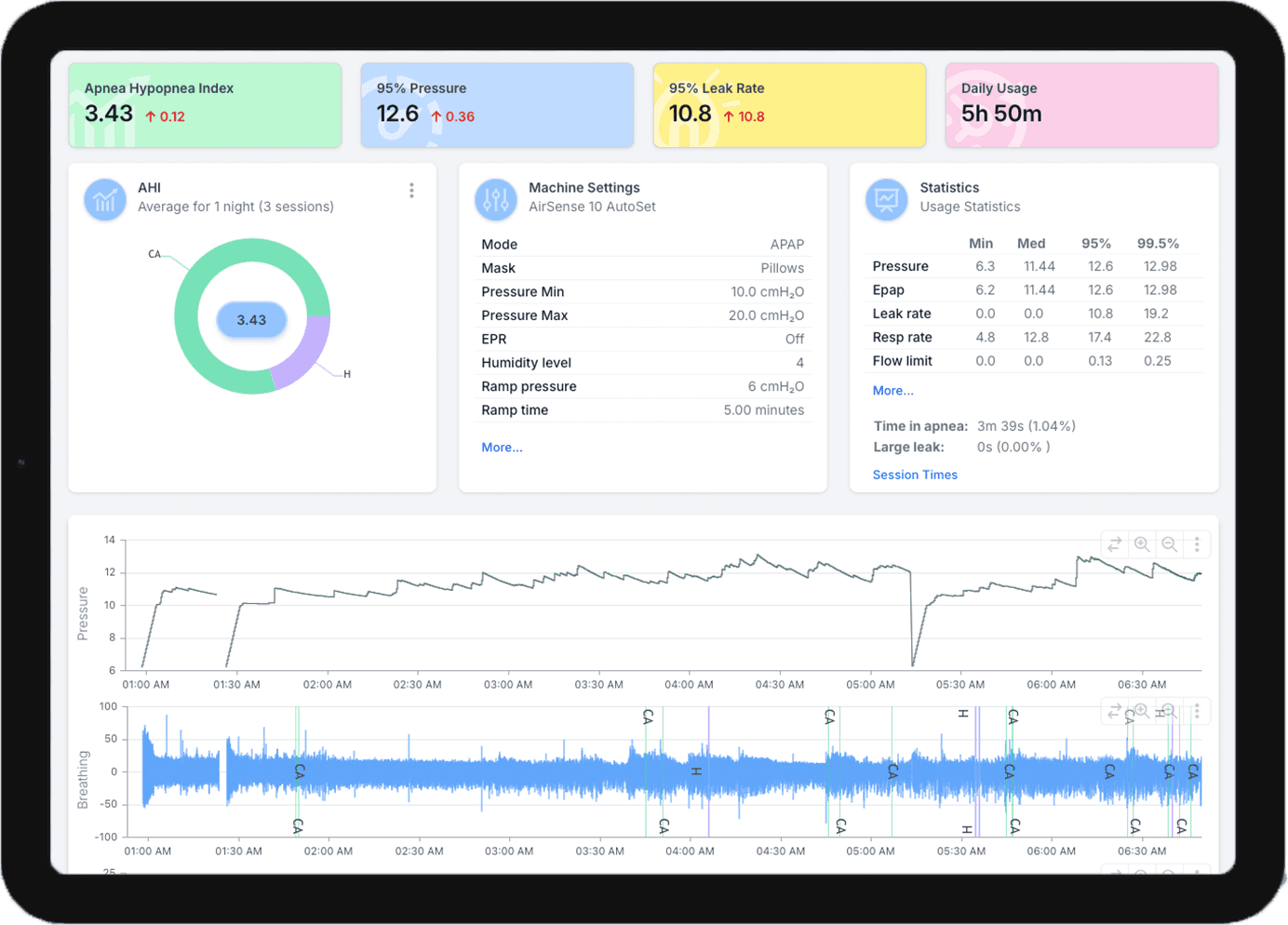
Your night is charted, scored and on your dashboard before you are out of bed.
Waiting for you before the kettle has boiled
AHI, pressure, leak and usage, every night, with nothing to upload and no card to carry to a computer.
$299 USD$399 AUD
Buy the Magic Uploader XtremeSuper easy setup
Three steps. Once. From your phone.
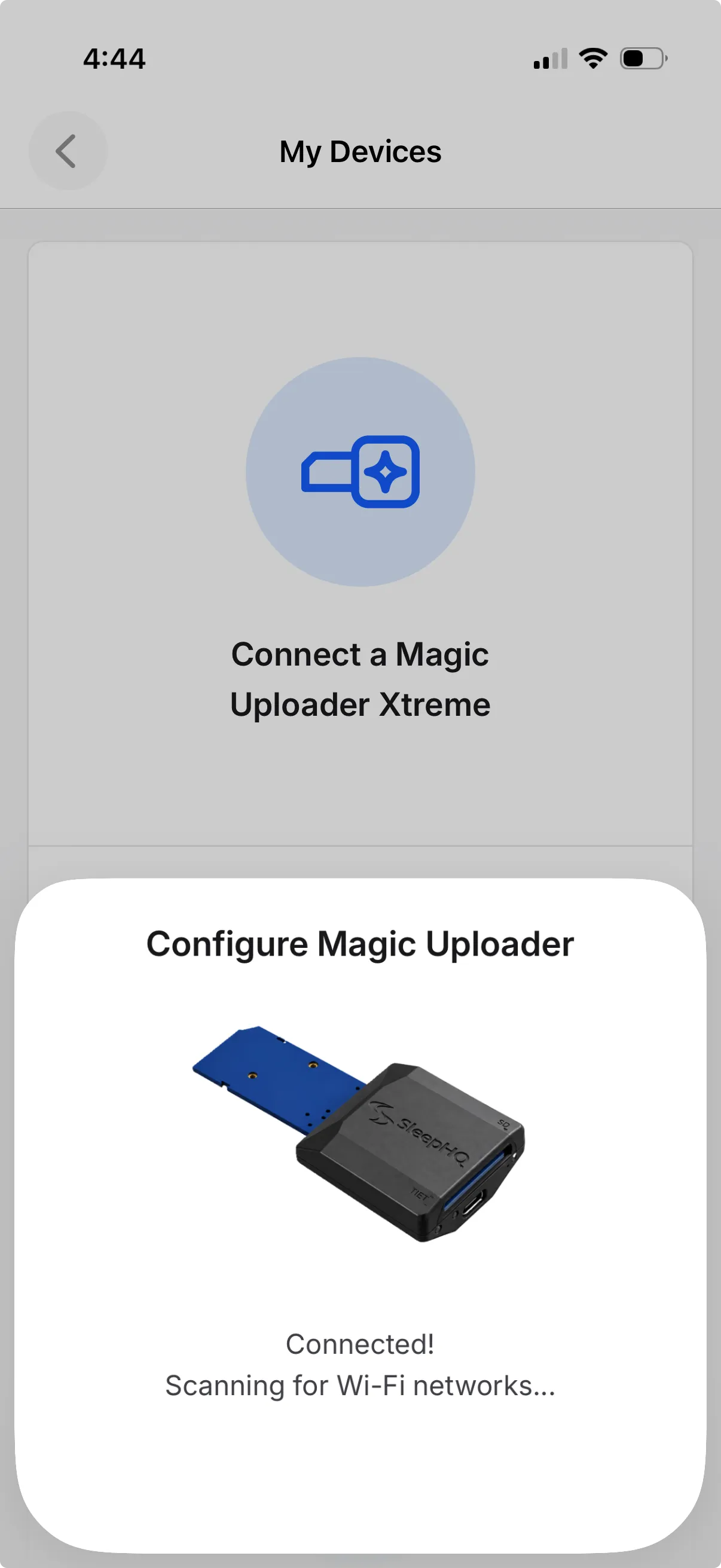
Plug it in, open the SleepHQ app and let Bluetooth do the rest. The only thing you type is your Wi-Fi password.
Plug it in
The USB-C cable in the box, into any USB power source.
Open the app
It finds the uploader over Bluetooth and lists the Wi-Fi it can see. Pick yours.
Slot it in
Your SD card goes inside the uploader. The uploader goes where the card went. Done.
Built for real bedrooms
Whichever machine. Wherever you sleep.
One uploader for four brands of CPAP machine, every Wi-Fi network you sleep on, and the SleepHQ O2 Ring Pro on your finger.
Compatibility
Four brands. One uploader.
- ResMed
- Philips Respironics
- Löwenstein
- BMC
Not sure about your model? See every machine SleepHQ reads.
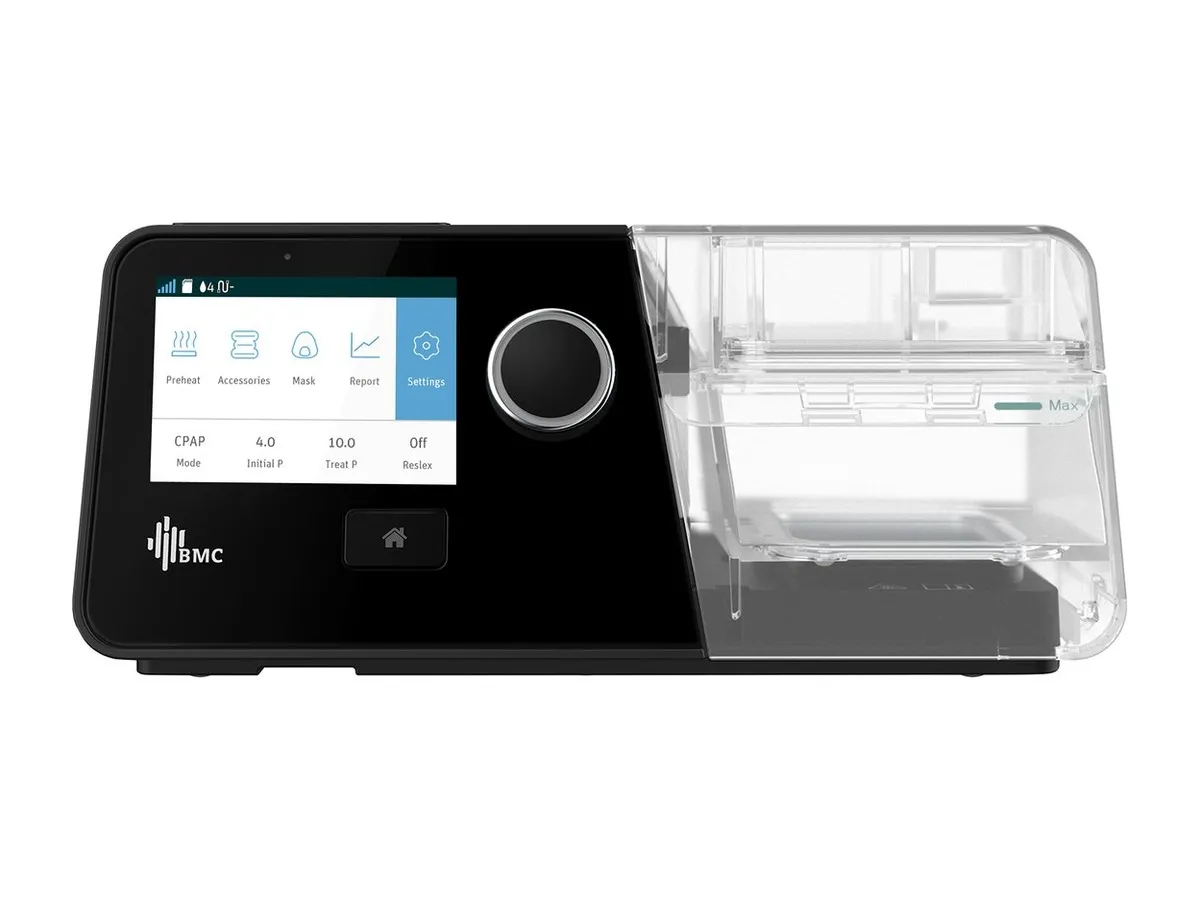
Pairs with the O2 Ring Pro
Wear the SleepHQ O2 Ring Pro overnight and your oxygen and pulse data lands on the same dashboard as your CPAP data, lined up night by night.
About the O2 Ring Pro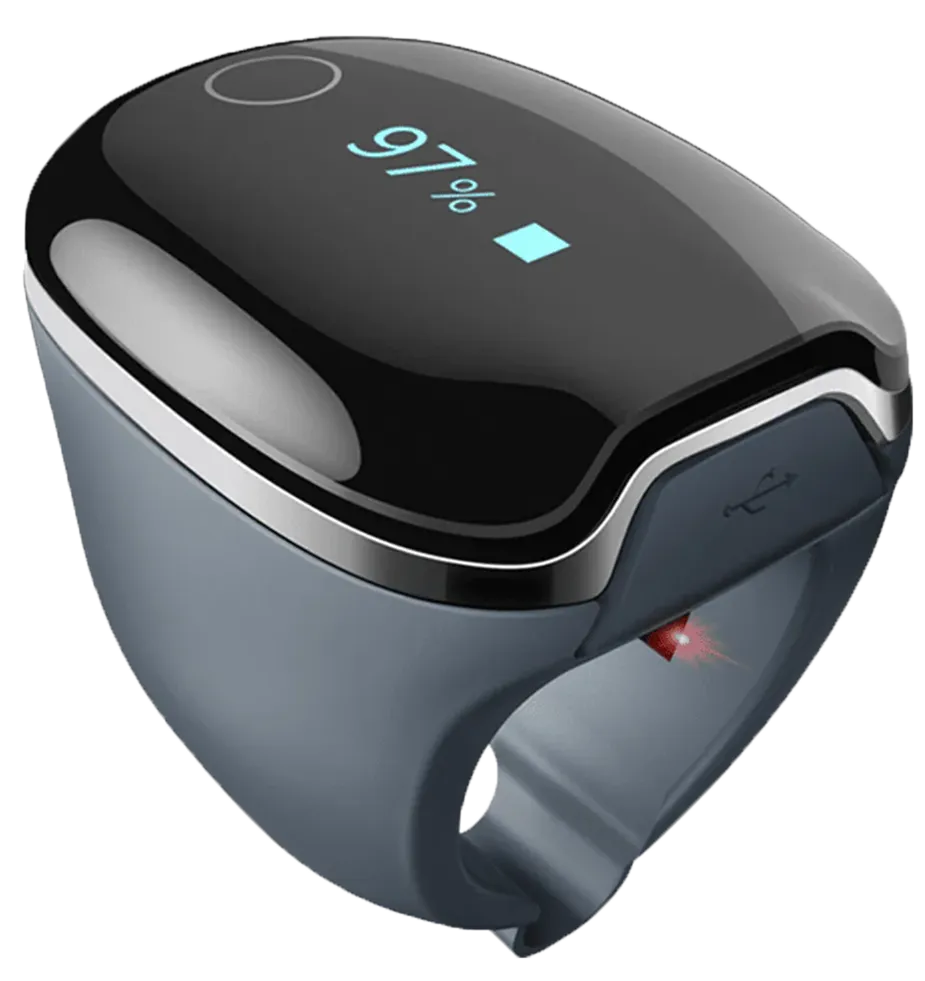
Remembers multiple Wi-Fi networks
Home, your partner’s place, the holiday rental, the hotel. Add them all and it joins whichever is in range, with no setting up again. Somewhere with no Wi-Fi at all? Your nights wait on the card and upload the moment you are home.
Made for a dark bedroom
Two small lights tell you how it is getting on, and both are dim by design. On most machines they go dark during therapy, and Sleep Mode keeps them off all night.
Keeps getting better on its own
Firmware updates arrive over the air, so new features and fixes land on the uploader while it sits in your machine. Nothing to download, nothing to plug in.
Worth it for you?
Which uploader is right for me?
Pick what you use today and see what changes.
I upload by SD card
No more manual file uploads.
Your night is in SleepHQ before you are up. No card reader, no laptop, no upload page.
Reduce wear and tear.
Taking the SD card in and out of your machine increases wear and tear on both the CPAP machine and the SD card. Never take the SD card out again with the MUX.
O2 Ring Pro, no phone needed.
The Xtreme pairs with the ring directly, so oxygen and pulse land beside your CPAP data on their own.
If you upload by SD card today, the Xtreme retires the whole routine. Every night arrives automatically, including your O2 data, and it moves with you if you ever change machines.
$299 USD$399 AUD
Buy the Magic Uploader XtremeI have a Magic Uploader Pro
Any SD card CPAP machine.
The Pro is ResMed-only. The Xtreme also works with Philips Respironics, Löwenstein and BMC, so it moves with you if your machine changes.
Faster file uploads.
The Pro waits up to 10 minutes to check for new files. The Xtreme sees the files instantly as they are written.
Remembers every Wi-Fi.
Home, a partner’s place, hotels. Add each once and it reconnects on its own. Firmware updates arrive over the air.
Your MU Pro keeps working and keeps being supported. Upgrade if you expect to change CPAP machines or travel often and want easy multi-wifi network setup.
$299 USD$399 AUD
Buy the Magic Uploader XtremeI’m on Philips, Löwenstein or BMC
Your machine, finally magic.
Until now there was no uploader for your machine. The Xtreme slots in where the card went and sends every night as it is recorded.
The full picture, not one number.
AHI, pressure, leak, usage and the overnight charts in SleepHQ, rather than a summary in the manufacturer’s app.
Everything the Xtreme does.
O2 Ring Pro pairing, multiple Wi-Fi networks and over-the-air updates, from day one.
This is the only uploader for your machine, and it was built for it. Nothing else comes close.
$299 USD$399 AUD
Buy the Magic Uploader XtremeStraight answers
Breathe easy.
Things to check before you buy. More in the FAQ below.
No.
Do I need a SleepHQ Pro subscription?
You do not need a subscription to use the Magic Uploader Xtreme. It is compatible with SleepHQ Pro and Free accounts.
No.
Will my machine notice?
It writes to the same card it always has. The uploader only listens, and the machine cannot tell it is there.
Yes.
Can I keep using my machine’s own app and modem?
myAir, DreamMapper and the built-in modem all keep working. The Xtreme doesn’t affect the manufacturer apps or what your doctor sees.
Only you.
Who sees my data?
It goes from your bedroom to your own SleepHQ account over an encrypted connection. Secure from start to finish.
30 days. 12 months.
What if something goes wrong?
The Magic Uploader Xtreme has a 30 day money back guarantee and a 12 month replacement warranty.
Worldwide.
Where do you ship to?
The Magic Uploader Xtreme ships from Melbourne, Australia to the world.
$299 USD$399 AUD
Buy the Magic Uploader XtremeFrom the bedside
What owners say
The MUX was a breeze to set up. I regularly take my CPAP with me to hospital and eject the SD Card from the MUX, put it directly into the machine, when I return I place the Card back into the MUX and it uploads all my data.
Simon TMelbourne, Australia Before the MUX I relied on the fuzzy data on my Löwenstein’s screen, or waited until I had a minute to get the MacBook out, pull the SD card, find the card reader and load it up. Now my night’s data is on my iPhone the moment I wake up. I wouldn’t be without it.
Lizzie JSydney, Australia I’ve been a massive fan of the Magic Uploaders since the first edition. No more manual uploading, just check your phone in the morning and like magic your data is there. It even updates its own firmware over the air. They keep getting better every time, and this one works with more machines and uses USB-C.
Peter MSydney, Australia Placeholder. The best part is the O2 ring data landing next to the CPAP data without me doing anything at all.
Placeholder nameCity, Country
What’s in the box
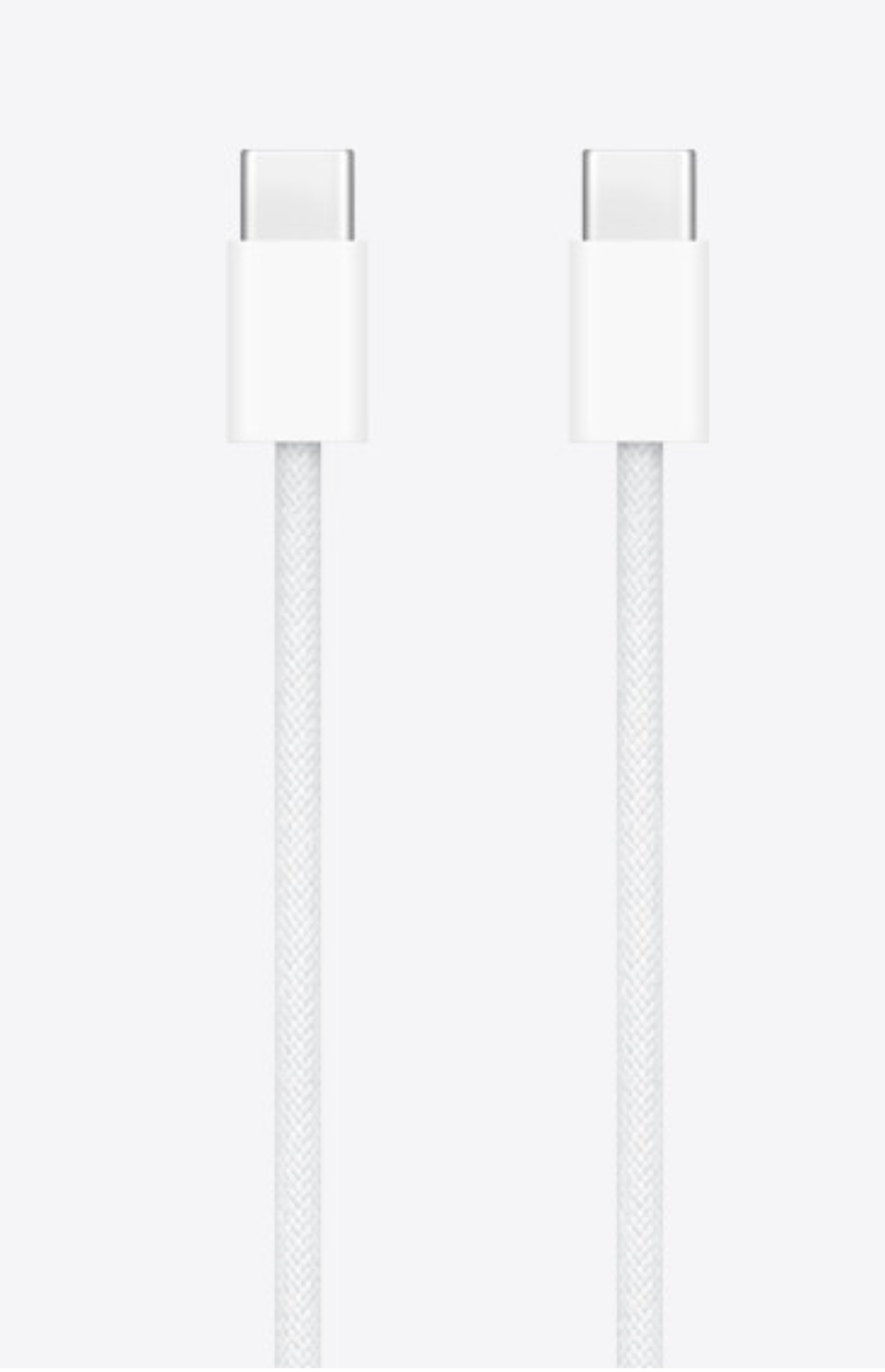
- Magic Uploader Xtreme
- USB-C to USB-C cable
Less in the box, on purpose.
To cut down on waste, the Magic Uploader Xtreme does not include a power adapter. Most bedrooms already have more USB chargers than they need. Included in the box is a USB-C to USB-C cable that works with any USB-C power adapter or powered USB port.
We encourage you to use a USB-C adapter you already own. You also bring the SD card your machine already uses, which goes inside the uploader.
Good to know
Questions, answered.
The things people ask before they buy one.
Something else?
The rest of our answers are on the FAQ page, and a real person reads every message.
What’s in the box?
The Magic Uploader Xtreme and a USB-C to USB-C cable. You will also need a USB power source to plug the cable into and an SD card (not included).
Do I still need my SD card?
Yes. The card goes inside the uploader and the uploader goes where the card used to go, so your machine keeps writing to the same card it always has. The Xtreme reads what the machine writes and sends it to SleepHQ, and the machine cannot tell it is there.
There is no SD card in the box. If your machine already has one, that is the card to use.
My SD card slot is hidden or not accessible
You can purchase an optional SD card flexible extender cable if your CPAP machine hides the SD slot behind the water chamber or in a place that is not easily accessible.
Will the MUX work with every AirSense 11 machine?
Yes. The MUX will work with any AirSense 11 CPAP machine. Because it perfectly mimics a regular SD card, the CPAP machine doesn’t need to supply any extra power to the SD slot or do anything different to what it does when a normal SD card is in the machine.
Does it work with the AirMini?
No. The MUX works by plugging in to the SD card slot of the CPAP machine. The AirMini doesn’t have an SD card slot so is not compatible with the MUX.
How is it powered?
Over USB-C. The box includes a USB-C to USB-C cable, and the other end goes into any USB power source: a phone charger, a powered USB port, or a USB outlet on your bedside power board. It does not come with a power adapter.
What if I change my Wi-Fi, or take it travelling?
Add the new network in the SleepHQ app, the same way you did the first one. The Xtreme remembers more than one network, so after you have set up a hotel or a relative’s Wi-Fi once, it reconnects on its own next time you are there.
If your home Wi-Fi password changes, you can easily update it via the app.
Does it work with the O2 Ring Pro?
Yes. The Xtreme pairs with the SleepHQ O2 Ring Pro over Bluetooth and uploads the ring’s overnight oxygen and pulse data alongside your CPAP data, so both land on the same dashboard, lined up night by night.
Does it get updates?
Yes, on its own. Firmware updates arrive over the air while the uploader sits in your machine, so new features and fixes land without you downloading or plugging in anything.
How is it different from the Magic Uploader Pro?
The Pro is no longer sold, and if you have one it keeps working. The Xtreme works with four brands rather than ResMed only, pairs with the O2 Ring Pro, remembers multiple Wi-Fi networks and updates over the air. See whether it is worth upgrading.
Do I need a SleepHQ Pro membership?
No. The Magic Uploader Xtreme works with any SleepHQ account, free or Pro. The uploader is $299 USD ($399 AUD) to buy, and a SleepHQ account is free to create.
Under the hood
Small box. Serious engineering.
A four-layer board the size of a matchbox, with a custom chip sitting between your machine and the SD card, all totally invisible to the CPAP machine.
Custom from start to finish
Every part of the Xtreme is custom, from the board to the firmware, shrunk to a footprint smaller than a matchbox. It talks to your machine at the lowest level of the SD bus.
Built on the SD card spec
There was no off-the-shelf way to build this. We started with a clean sheet of paper and the SD card specification, and built the Xtreme directly on top of it.
Reads the bus in real time
It watches the traffic between your machine and the card as it happens, and makes sense of it on the fly. That is why it works with any SD card CPAP machine, and nothing else does.
Wireless module
Wi-Fi and Bluetooth on one module, on the underside. Bluetooth for setup and O2 rings, Wi-Fi for data uploads.
Card-bus logic
A small programmable chip, controls the SD bus and coordinates the data flow between the CPAP and the SD card.
Card bay
A full-size SD socket on top. The SD card your machine has always used goes in here. The CPAP machine never sees anything different.
USB-C power
On the end, underside. Any USB power source; the USB-C to USB-C cable is in the box.
Status lights
Two colour LEDs, one each side of the port, dim by design and off all night in Sleep Mode.
Card tongue
The board itself is the card. Nine gold contacts slot into your machine exactly like an SD card.
On-board storage
Flash memory on the underside for firmware, your Wi-Fi networks and nights waiting to upload.
Rev 2.1 · Four-layer FR-4, 0.8 mm · ENIG finish, hard-gold edge contacts · SMT reflow, 100% AOI · Solid outlines top side, dashed underside.

Available now
Get the Magic Uploader Xtreme
$299 USD$399 AUDOther currencies at the shop
Your CPAP data in SleepHQ every morning, with nothing to press. Ships worldwide, with a 30 day money back guarantee and a 12 month replacement warranty.
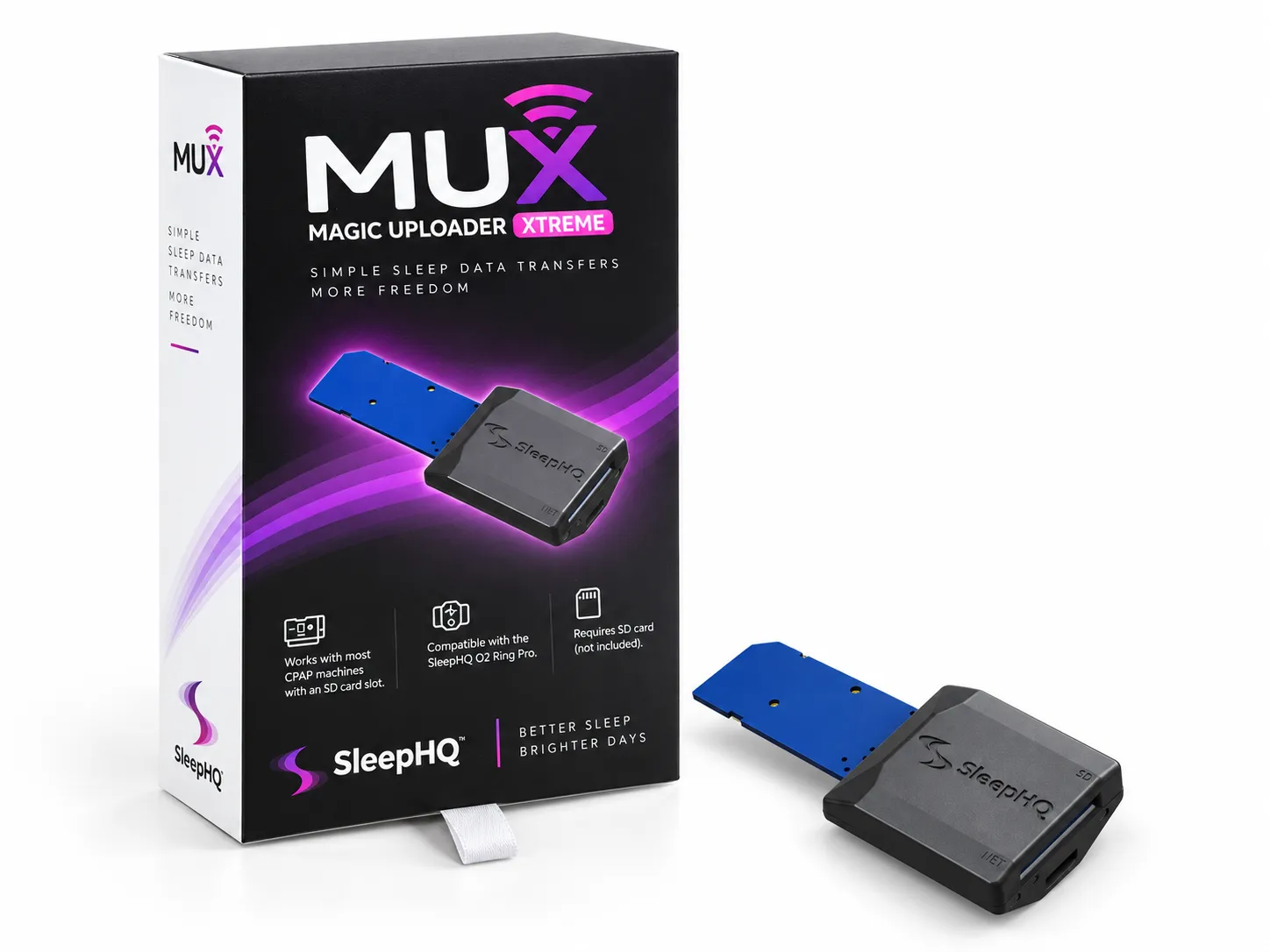
$299 USD$399 AUD
Buy now